Mathcha File (.mathcha)
Mathcha supports exporting and importing documents as .mathcha files. This format preserves the full document structure including all math expressions, drawing areas, images, and embedded resources — making it ideal for backups or transferring documents between accounts.
Exporting a Document
Section titled “Exporting a Document”There are two ways to export:
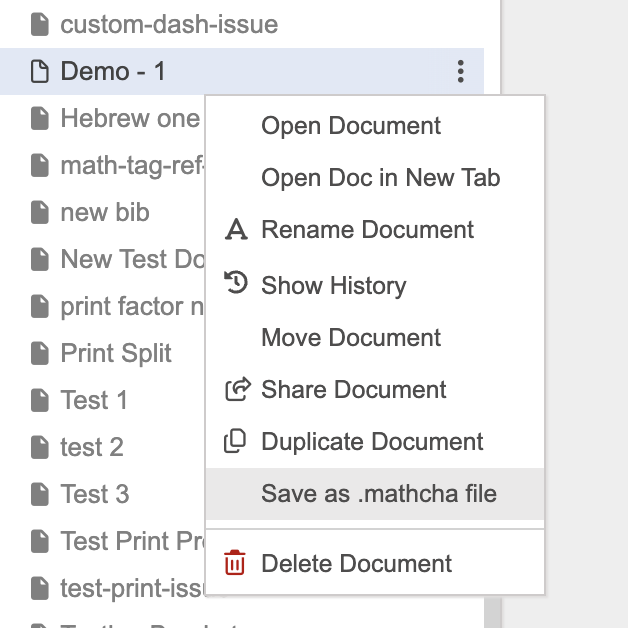
From the sidebar — right-click a document and select Save as .mathcha file:
From the editor — open the document, then go to Menu > Save as Mathcha file (.mathcha).
The export dialog shows progress as the document and its resources are packaged:
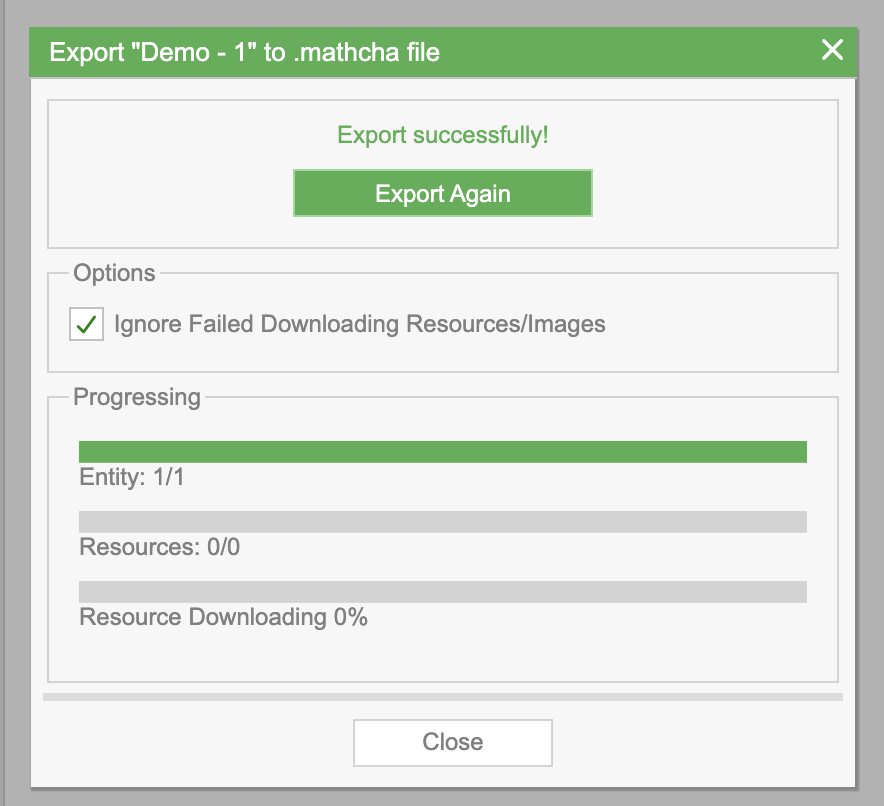
- Entity — the document content being exported
- Resources — embedded images and other assets
- Resource Downloading — progress of downloading resources for packaging
Check Ignore Failed Downloading Resources/Images if you want the export to complete even when some resources are unavailable.
Once complete, the .mathcha file is downloaded to your computer.
Importing a Document
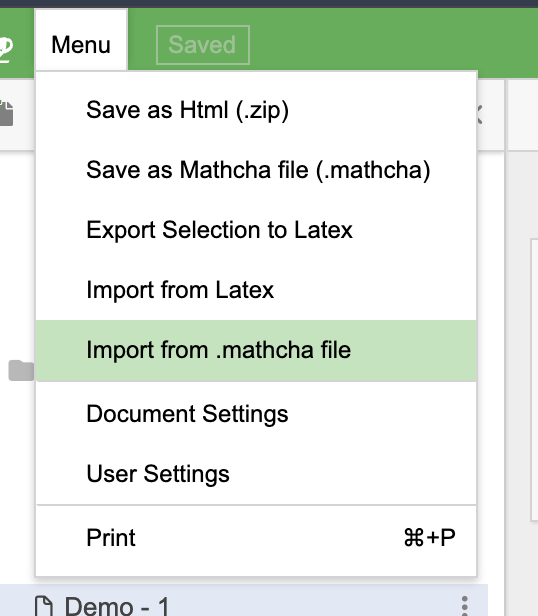
Section titled “Importing a Document”Go to Menu > Import from .mathcha file:
Drag and drop your .mathcha file into the import dialog (or click to browse). The import processes the file and uploads its contents:
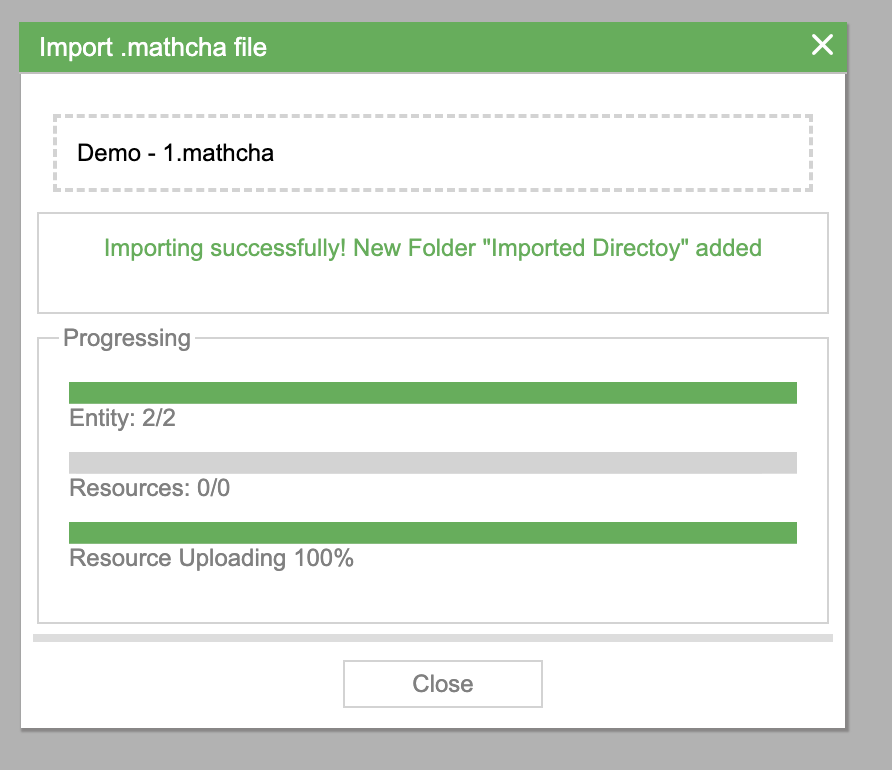
- Entity — the documents being restored
- Resources — embedded images and assets being uploaded
- Resource Uploading — progress of uploading resources to your account
Once complete, a new folder called “Imported Directory” is created in your sidebar containing the imported documents.
Transferring an Entire Notebook Library
Section titled “Transferring an Entire Notebook Library”To transfer an entire Mathcha Notebook library between computers on Windows, macOS, or Linux, see Notebook Data and Migration.